Constructions overview
Use Construction Management to create and maintain Constructions and their Measurement Points.
Only Global Admins, Organization Admins, and Construction Admins can add, edit, or remove Constructions. Other roles have read-only access.
The MQTT Topic used with DynaBoard (Dynasense devices) is editable only by Global Admins. Organization Admins can view the topic. See also: DynaBoard basics
Before You Begin
To work with Constructions, first select:
- Organization — required
Go to Constructions after selecting an Organization.
[Screenshot: Constructions page layout highlighting Organization selector, New Construction, and Measurement Points actions]
What you can do here
- Create and edit Constructions (name, description, location, time zone)
- View Construction statistics and open a table of Measurement Points
- Create, edit, and remove Measurement Points under a Construction
- Manage images for a Construction or Measurement Point
“Data transfer issue” shows the count of devices that haven’t sent any data in the last 2 days. This threshold is fixed at the moment and may change in the future.
Create a Construction
- Click New Construction
- Fill required fields:
- Name — minimum 5 characters, unique within the Organization
- Location — latitude and longitude; altitude is optional
- Optionally set Time zone (informational only; currently not used)
- Click Add
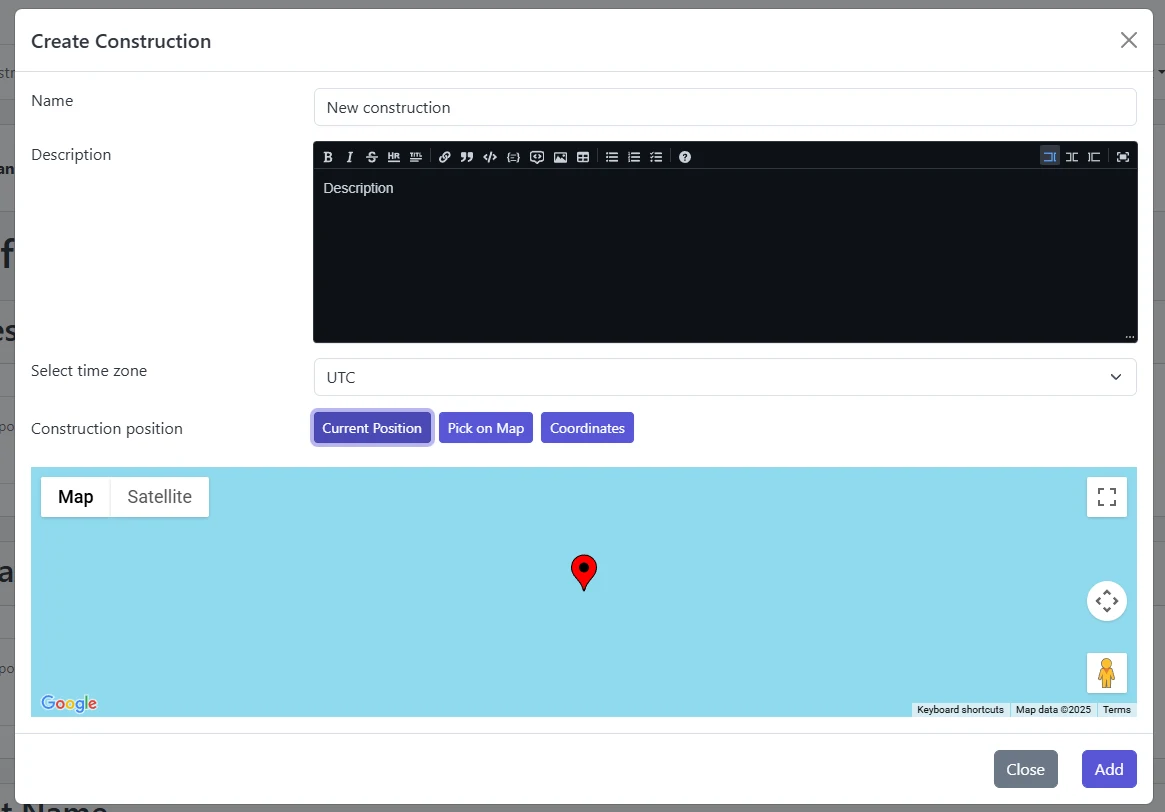
See Location change for using the map, browser location, or manual coordinates.
Edit a Construction
From a Construction card, click Edit and update:
- Name, Description
- Location (latitude/longitude; altitude optional)
- Time zone (clarification only; has no effect today)
- Images via Images management
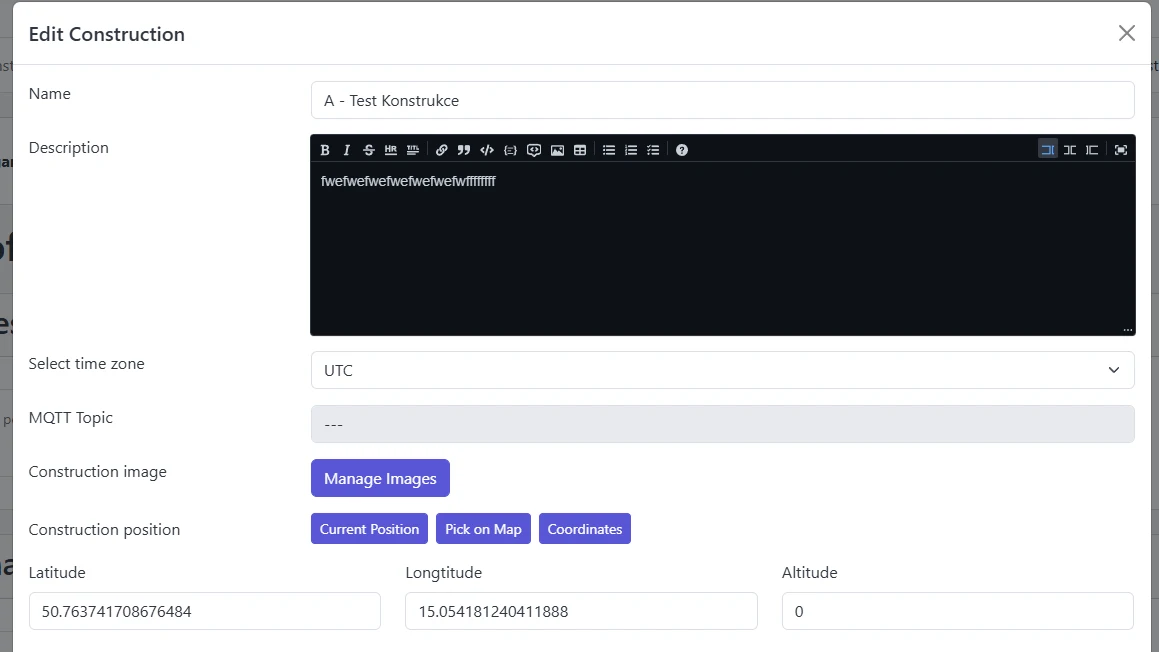
The MQTT Topic (used with Dynasense devices) is visible to Organization Admins and editable only by Global Admins.
Measurement Points under a Construction
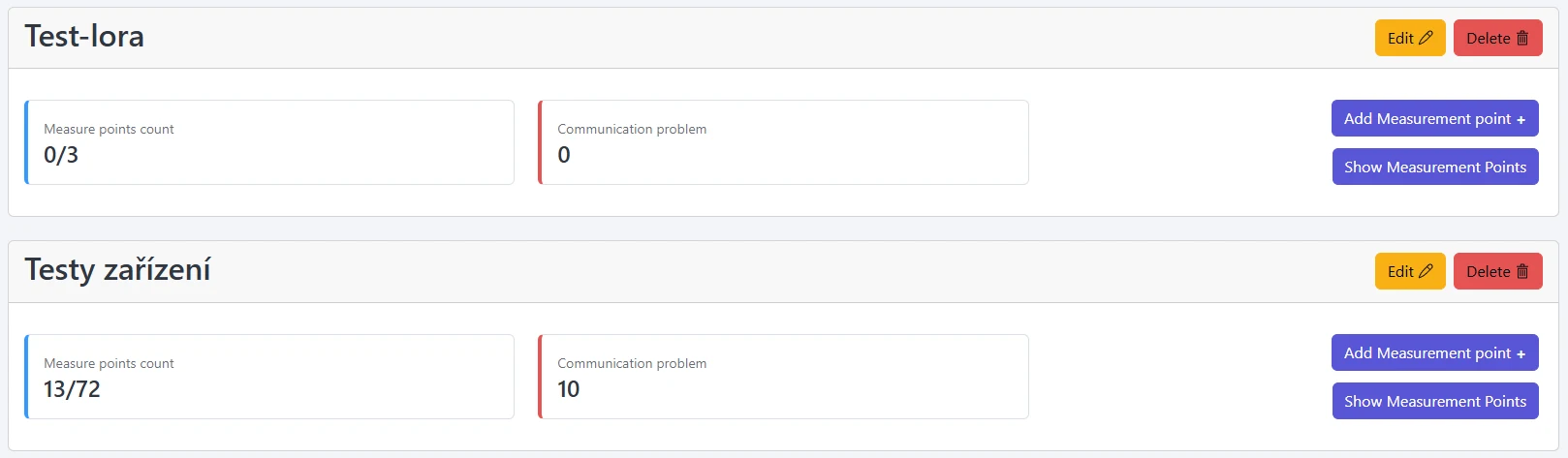
On each Construction card you can:
- Add Measurement Point
- Show/Hide Measurement Points table
- See stats: “with device/total” and devices with recent communication issues
Open Measurement Point basics for details on creating, editing, moving, and removing Measurement Points.
Delete a Construction
Click Delete on a Construction card and confirm.
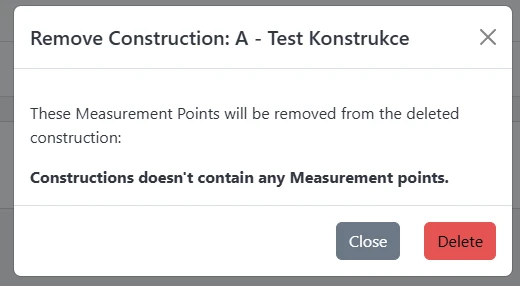
Statotest uses soft-delete. Deleted Constructions (and their Measurement Points and data) are no longer accessible in the portal, but they remain in the database. If you delete something by mistake, contact administrators to restore it.